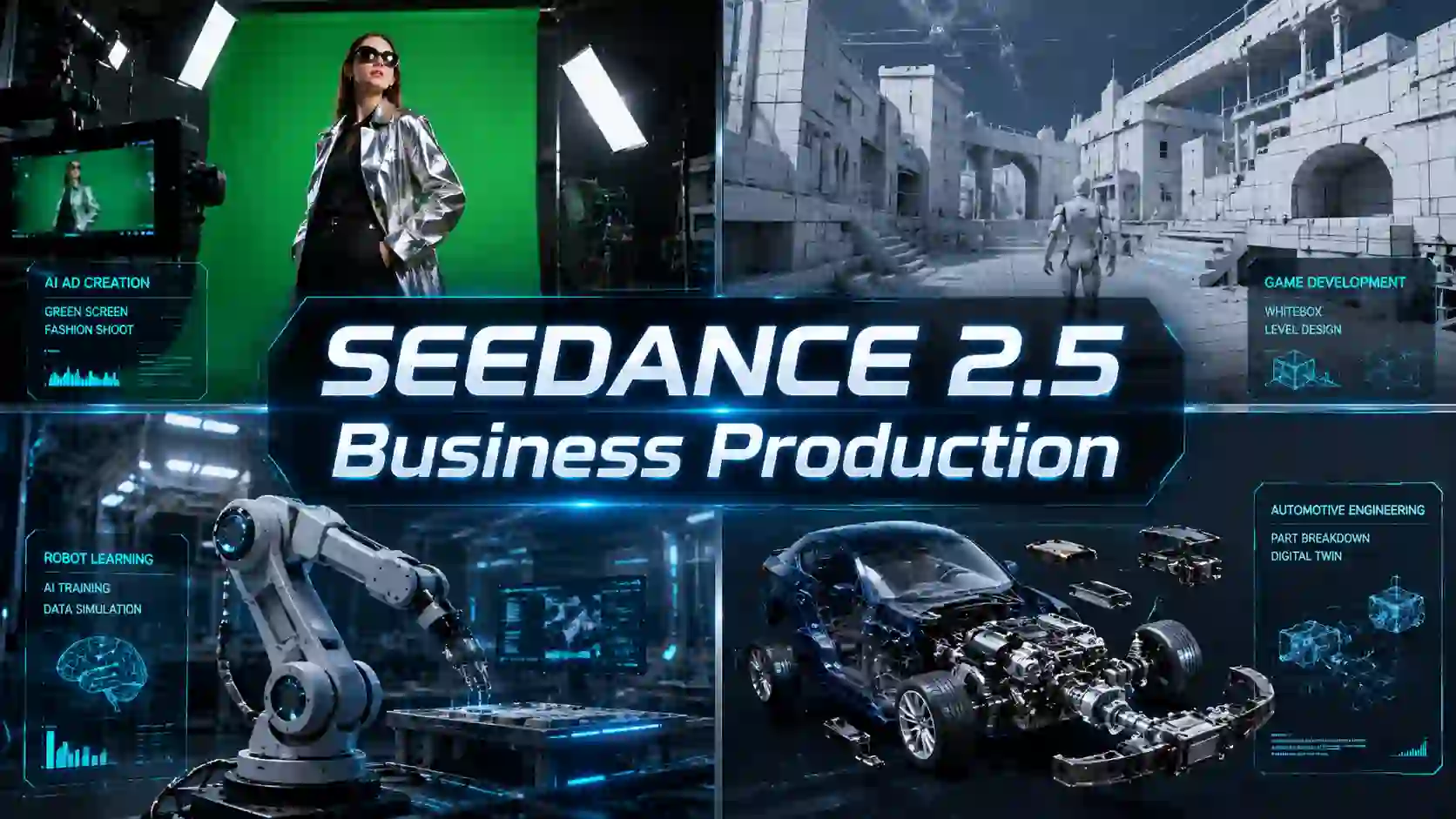
Brands need products to remain accurate. Game studios need cameras to follow approved layouts. Manufacturers need training content that can be updated. Creative teams need to revise one weak section without rebuilding the entire video.
That is where the latest Seedance release becomes more interesting.
Seedance 2.5 supports up to 30 seconds in one generation, alongside larger multimodal reference sets, white-model guidance, green-screen editing, timestamp control, and targeted revisions. These capabilities move AI video beyond one-off experiments and closer to repeatable production workflow.
What Makes Seedance 2.5 Useful for Business Video Production?
Production needs control.
The biggest upgrade is not one isolated feature. It is the combination of longer generation, reference understanding, and more precise editing.
Business Need | Relevant Capability | Production Value |
Complete commercial scenes | Up to 30-second generation | Fewer disconnected clips |
Accurate brand assets | Up to 30 images, 10 videos, and 10 audio references | Better product and character consistency |
Faster revisions | Timestamp and targeted editing | Less full-video regeneration |
Existing footage reuse | Green-screen reference and editing | Faster campaign adaptation |
Spatial visualization | White-model control | Better game and 3D previsualization |
More believable presentation | Improved motion, materials, lighting, and audio | Stronger demos and commercial footage |
Seedance 2.5 model can interpret different inputs as parts of one creative brief, including characters, products, environments, camera movement, visual style, and sound.
This is especially valuable when a team already has usable assets but needs a faster way to combine, test, or repurpose them.
How Can Brands Turn Green-Screen Footage Into AI Ads?
Keep the subject. Rebuild the world.
Advertising teams rarely begin with one perfect reference image. They may have:
green-screen talent footage
product photography
model clips
logo assets
motion references
unfinished campaign material
A reference-based AI video workflow can use those materials to create new environments while preserving the important subject.
For example, a brand could keep the same model and product while testing:
a luxury studio environment
a futuristic retail space
a summer outdoor campaign
different lighting and seasonal themes
alternative social ad formats
The reference material includes a sunglasses advertisement built from green-screen footage. The generated version preserved the model and product while adding a more complete environment, coordinated lighting, and synchronized footsteps.
This approach can help agencies produce:
AI product commercials
campaign variations
ecommerce video ads
fashion promos
social media creatives
localized visual concepts
The main benefit is not merely background replacement. The subject should react naturally to the new scene through believable shadows, clothing movement, walking rhythm, and environmental lighting.
How Can Game Studios Turn 3D Whiteboxes Into Cinematic Previsualization?
See the visual direction before building final assets.
Early game environments are often created as simple geometric whiteboxes. These layouts can test navigation, combat space, object placement, and camera paths, but they are difficult to present to producers, marketing teams, or investors.
White-model reference gives studios a faster way to visualize what those rough environments could become.
The model can use the source layout to guide:
spatial structure
camera trajectory
foreground and background relationships
object placement
occlusion
subject movement
shot scale and pacing
The uploaded reference explains that the value is not simply adding color to a white model. It is shortening the distance between structural approval and visual approval. The same environment can become a dynamic previs without first completing the full material, lighting, rendering, and compositing pipeline.
This makes the workflow useful for:
AI game previsualization
level design reviews
cinematic scene planning
combat previs
environment concept testing
game trailer development
stakeholder presentations
It does not replace final 3D production. It helps teams decide which visual direction deserves that investment.
How Can Manufacturers Create AI Training and SOP Videos?
Update the process without rebuilding the production.
Industrial training videos are expensive because they often require access to equipment, trained staff, filming crews, safety coordination, and post-production.
The process becomes even more expensive when:
a machine changes
a workflow is updated
a safety procedure is revised
a new product version is introduced
the training must be localized
A production-focused AI video generator can help teams turn equipment images, process references, and written instructions into initial video materials for:
employee onboarding
equipment demonstrations
safety training
maintenance guidance
standard operating procedures
assembly instructions
For a business-ready version, the prompt should include more than a general description. Teams should specify:
equipment model
approved operating steps
required protective equipment
restricted actions
safety warnings
camera priorities
narration or on-screen information
the intended audience
The generated video must still be reviewed by qualified staff. AI can reduce production time, but it should not invent safety procedures or replace technical approval.
Can Businesses Create Product Demo and Instruction Videos With AI?
Turn product knowledge into visual guidance.
Product videos are not limited to advertising. Businesses also need clear explanations after the sale.
Useful formats include:
product walkthroughs
assembly tutorials
setup instructions
feature demonstrations
maintenance guides
retail display videos
customer-support content
safety reminders
A multimodal workflow allows a team to combine product images, reference clips, written instructions, audio, and visual-style examples.
This can be especially helpful for companies with:
frequent product updates
large product catalogs
multiple sales regions
limited video-production resources
repeated customer questions
A manufacturer could keep the same product presentation while changing the language, user scenario, background, or feature focus. An ecommerce team could create separate videos for installation, use, maintenance, and promotion without organizing a new studio shoot for each version.
The goal should be consistent reusable content, not one impressive demonstration.
Can AI Video Support Robotics and Autonomous-System Training?
Generate rare scenarios, then validate them carefully.
Synthetic video is another potential business application, particularly where real-world data is expensive, dangerous, or difficult to repeat.
Possible examples include:
robotic arms handling different objects
transparent or reflective materials
different lighting and backgrounds
unusual object combinations
heavy rain, fog, or snow
rare road conditions
low-frequency interaction scenarios
ByteDance lists industrial simulation, robotics training, equipment demonstrations, extreme weather, and complex road conditions among the model’s emerging applications.
However, generated footage should be treated as supplementary synthetic data.
It still requires:
physical-consistency checks
temporal validation
domain-expert review
labeling verification
testing against real-world results
safety-specific evaluation
For high-stakes systems, visually convincing footage is not enough. The motion, geometry, contact, and timing must also be correct.
Which Businesses Can Benefit Most?
The best opportunity starts with expensive repetition.
Team | Strongest Potential Use |
Advertising agencies | Green-screen ads, campaign variants, branded content |
Ecommerce brands | Product demos, social ads, feature videos |
Game studios | Whitebox visualization, cinematic previs, trailer concepts |
Manufacturers | SOP, safety, equipment, and onboarding videos |
Product teams | Design visualization and stakeholder presentations |
Customer-support teams | Setup, maintenance, and troubleshooting videos |
Education teams | Visual lessons and scenario-based explanations |
Robotics and automotive teams | Validated synthetic-scenario exploration |
A good business use case usually has at least one of these problems:
filming is expensive
content changes frequently
revisions are slow
existing assets are underused
visual approval happens too late
teams repeatedly recreate similar videos
That is where controllable AI video can deliver more value than a one-off creative experiment.
Better generation creates content. Better control creates productivity.
The most promising business value of Seedance 2.5 is not that it can generate more spectacular videos.
It is that teams can use existing assets more effectively, visualize ideas earlier, revise weak sections more precisely, and produce content for real commercial or operational needs.
Explore Seedance 2.5 with a real production need.
Start with your own product, footage, layout, or training concept, then see how the model can extend it into something more useful.
Explore more applications. Reduce production friction. Build higher-value AI video.
Industrial AI Video FAQs
Can AI Videos Support Industrial Safety Training?
Yes, but they must be checked against approved safety procedures.
AI video should support, not replace, equipment manuals, risk assessments, and qualified instruction.
Who Should Review Industrial AI Videos?
A qualified engineer, equipment specialist, EHS manager, or process owner should verify operating steps, machine conditions, PPE, hazard zones, and emergency procedures.
How Can Manufacturers Prevent Incorrect Instructions?
Build each video from an approved SOP, technical manual, or engineering document.
Reject outputs that invent steps, alter equipment, or remove safety actions.
What Industrial Data Should Companies Protect?
Do not upload confidential CAD files, factory layouts, proprietary processes, personal data, or operational-system details without internal approval and a clear data-security review.
Can Synthetic Video Replace Real Industrial Data?
No. It should expand scenario coverage and supplement real data.
Safety-critical teams must validate motion, timing, geometry, and physical interactions before use.